Anyone who works with design files knows this feeling: a project starts small, with only a few files to manage. But as the product grows, so do the design drafts, updates, old versions, and shared resources. After months or years, finding the right file can become a frustrating task.
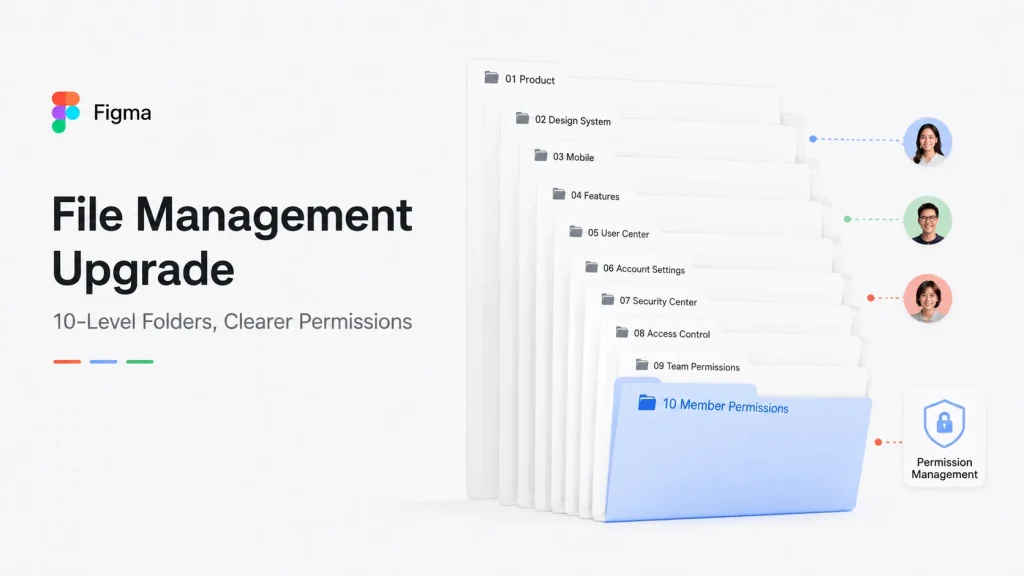
Figma is now changing the way teams organize their work. The company has introduced a new folder system that supports up to 10 levels of nested folders, along with updates to team permissions and project management.
The idea is simple: make large design libraries easier to understand.
With the new structure, Figma’s previous Project system is moving toward a more flexible Folder approach. Teams can create folders inside folders, allowing them to organize files based on their own workflow.
For example, a company could create a main folder for a product, then divide it into sections for mobile apps, websites, design systems, and different product versions. Instead of searching through a long list of files, team members can follow a clearer path to find what they need.
For designers and product teams, the change may not feel dramatic at first, but it can make everyday work smoother.
Designers spend less time looking for the latest version of a file. Product managers can review designs without digging through dozens of similar documents. New team members can also understand the project structure faster when they join.
Figma has also improved how teams manage access permissions.
In larger companies, different people often need access to different parts of a project. Managing permissions file by file can quickly become difficult. With the updated system, teams can set permissions at the folder level, and those rules can apply to the files inside.
At the same time, teams can still set special permissions for individual files when extra control is needed.
These changes are especially useful for companies working on multiple products or with large design teams. As more people collaborate on the same projects, keeping files organized and access clearly managed becomes an important part of daily work.
Figma’s update reflects a bigger shift in how design tools are being used. Today, tools like Figma are no longer just places where designers create screens. They have become shared spaces where designers, engineers, product managers, and other teams work together.
Of course, teams with years of existing files may need some time to reorganize their folders and adjust their workflow. Moving to a new structure is not always easy when hundreds or thousands of files are involved.
But over time, a cleaner system can save teams from repeated searches, unnecessary questions, and lost time.
For many people who open Figma every day, this update may not look like a major change. But small improvements like better file organization and clearer permissions can make teamwork easier — especially when projects continue to grow.