Easy to start, but getting a good result still takes tweaking
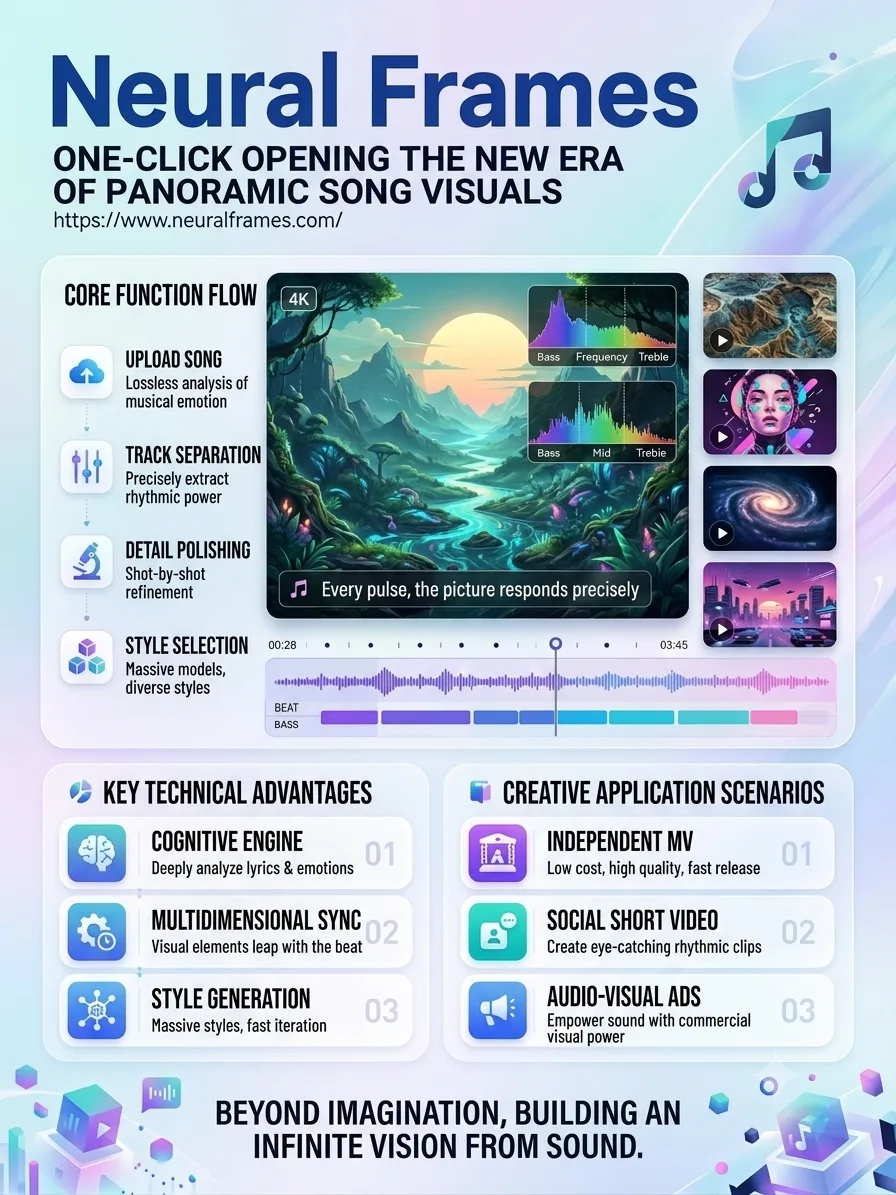
The basic workflow is fast: sign up, upload a track, choose a template, and generate.
If all you need is a music video that’s good enough to publish, you can get started within minutes.
The time-consuming part comes afterward.
If you want a certain character to appear only in the chorus, the screen to flash on the kick, or the shot to change when the vocals come in, you’ll need to go into the editor and fine-tune things.
That’s more involved than a pure text-to-video tool, but nowhere near as heavy as Premiere Pro.
The real learning curve with Neural Frames isn’t where the buttons are. It’s learning to think clearly about how the visuals should respond to the music.
Autopilot is fast, but the storytelling is pretty basic
I ran a few versions using a three-and-a-half-minute electronic track.
Autopilot did a solid job with beat syncing. Transitions generally landed in the right places, and the visual intensity changed with the music, so the audio and visuals rarely felt disconnected.
The problem is that the actual content can feel fairly random.
It looks more like a collection of cool visuals matched to the song than a music video with a real narrative.
Once I switched to the frame-by-frame editor, the result improved noticeably.
I locked in the character and setting, adjusted how strongly the visuals reacted to the drums, and changed some of the cuts. That’s when it started to feel like something made specifically for that song.
A few practical issues
First, credits disappear quickly.
This is especially noticeable with longer videos. A full music video that runs for several minutes can use a significant number of credits, and you’ll usually generate a few test versions before the final one.
A cheaper workflow is to build a demo at lower quality first, confirm the direction, then render the final version in 4K.
Second, custom characters need enough reference material.
One or two photos usually aren’t enough to keep a character stable.
I started with a single selfie, and the generated person looked noticeably different from me. Once I added photos from different angles and with different expressions, the results became much more reliable.
Third, prompts still drift.
For example, I asked for:
“A man playing guitar under neon lights on a rainy night.”
Sometimes the guitar turned into a bass, or the whole scene unexpectedly shifted to daytime.
So rerunning generations and rewriting prompts is still a normal part of the workflow.
What works well
- Audio-visual sync is the main advantage. It understands rhythm and song structure better than a typical AI video generator.
- It’s built specifically for musicians. The workflow revolves around tracks and music videos, so you don’t have to stitch together several different tools yourself.
- There are plenty of model options. Kling, Seedance, Runway, and others can be switched within the same platform.
- It supports high-quality output. It’s useful for final releases, not just rough demos.
- Templates make it easy to get started. They’re useful when you don’t yet have a clear visual direction.
What doesn’t work as well
- Credits burn quickly. Long videos and high-resolution renders are especially expensive.
- Fine control takes some learning. Autopilot is simple, but the manual editor isn’t completely frictionless.
- Cloud generation depends on your connection and server conditions. Render times can vary.
- Narrative control is limited. It’s better at atmosphere and rhythm than at complex storytelling.
Best for
Independent musicians
A strong fit if you don’t have the budget for a full music video shoot but still need proper visual content for a release.
Electronic musicians and DJs
Especially useful for beat-reactive visuals, stage backgrounds, and looping content.
Content creators
Good for quickly creating stylized material for podcasts, short-form video, and social media.
Anyone producing lots of music visualizations
It can save a lot of post-production time compared with manually syncing visuals from a regular text-to-video tool.
Not ideal for
Directors who need a fully narrative music video
Precise blocking, performance, and complex shot control are still difficult.
People who don’t want to adjust anything
Autopilot gets you to a result quickly, but improving the quality still requires some manual work.
Heavy users on a tight budget
The longer the video and the more iterations you need, the more noticeable the credit cost becomes.











Comments (0)