I tested both the free and paid versions continuously for about a week.
The short version is: still images are quite good, but complex scenes and video are not yet at the point where the swap is completely undetectable.
Almost no learning curve
The interface is very simple.
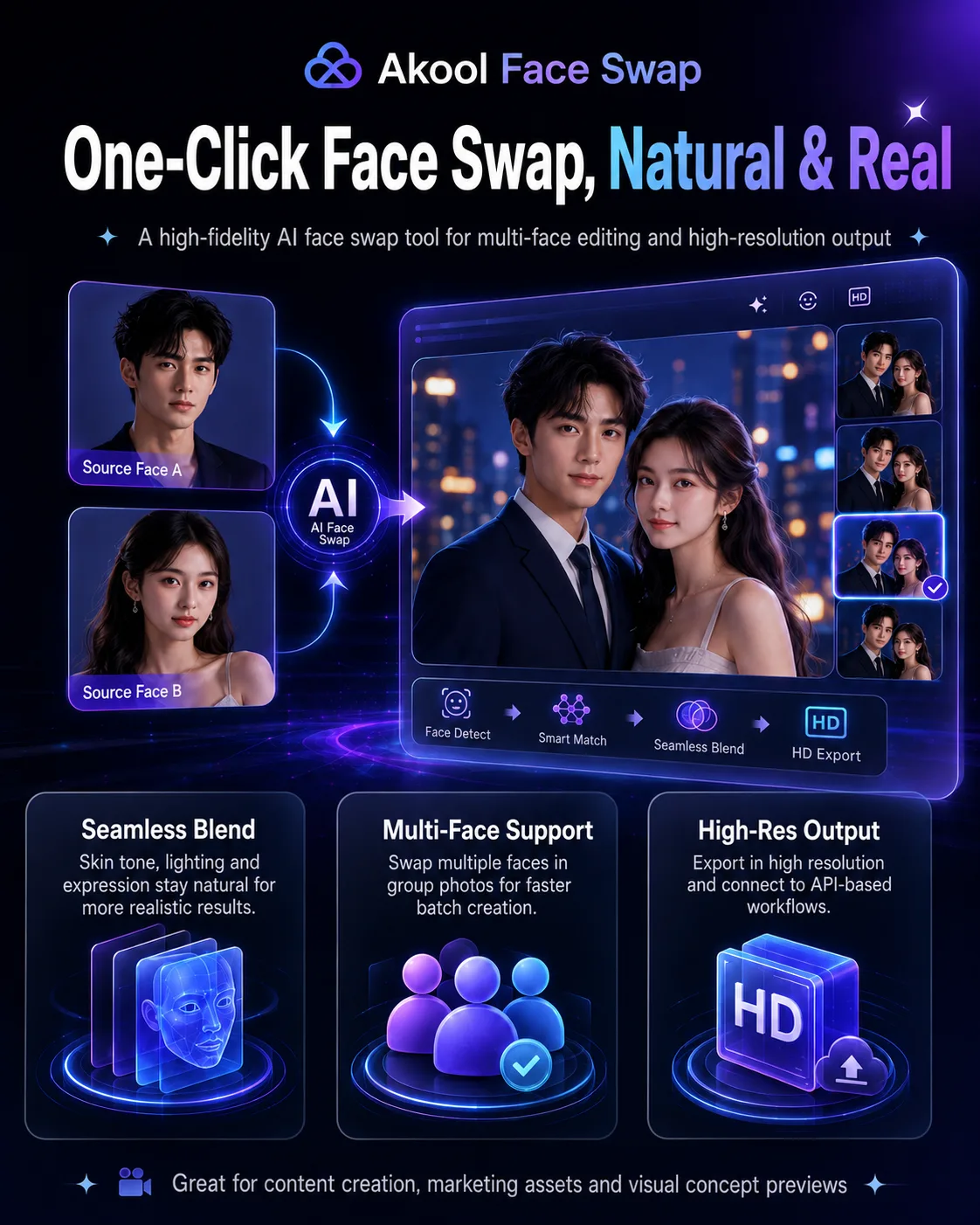
Upload the target image, upload the face you want to use as the source, then click generate. There are no complicated parameters to tune, and you don’t need to understand any model settings.
From a usability standpoint, it’s easier than many professional AI image tools.
Still images are the strongest part
With normal lighting and a front-facing subject, the face-swap quality is genuinely good.
Skin tone and facial edges blend fairly naturally, and the original subject’s expression is usually preserved. At normal social-media viewing sizes, the edit may not be immediately obvious unless you zoom in and inspect it closely.
Multi-person photos are also quite practical.
The system can detect several faces in one image and replace them individually, with lighting and shadows handled separately for each person. If you need to create multiple versions of the same marketing asset with different people, this is much more convenient than tools that can only process one face at a time.
Problems become more obvious with side profiles, occlusion, and complicated lighting.
If half the face is covered by a hand, or the scene has strong side lighting and deep shadows, you may see local blur, unnatural contours, or distorted facial features.
Video is easier to spot
Video is much harder than still images.
When the subject is relatively still, some shots can look quite convincing. Once they start talking, turning their head, or making stronger facial expressions, unnatural changes around the mouth, facial muscles, and contours become easier to notice.
Lip movement and fast motion are particularly likely to reveal signs of AI processing.
So if you mainly need still-image assets, Akool feels fairly mature. If your goal is professional video delivery, though, you shouldn’t judge the quality based on a few static frames.
A few practical issues
First, you need to estimate credit usage in advance.
A single image doesn’t look particularly expensive, but video burns through credits much faster.
Once you start generating repeatedly, the included credits may not last as long as expected. For real projects, it makes sense to test with lower-resolution assets first rather than repeatedly rendering high-resolution versions.
Second, read the commercial licensing terms carefully.
Paying for a plan does not necessarily mean every type of commercial use is automatically covered.
If the material is going into advertising, brand campaigns, or other formal commercial work, you need to confirm exactly what the current plan allows rather than assuming “watermark-free” also means unrestricted commercial use.
This is one of the more important things to check with Akool, beyond the generation quality itself.
Third, the free plan is mainly for testing.
The 720p limit and watermark make it useful for evaluating the model, but not particularly suitable for finished production content.
Fourth, some features have regional restrictions.
Real-time features such as Live Camera may not be available in every region. Before paying, it’s worth checking which features are actually accessible where you are.
Pros and cons
Pros
- Still-image face swaps look natural. Front-facing subjects under normal lighting can produce fairly polished results.
- Multi-person processing is convenient. You can replace several faces within the same group photo.
- Very easy to use. No parameter tuning is required; just upload the assets and generate.
- High-resolution output. Higher-tier plans support high-resolution exports.
- API access. Useful for teams that need batch processing or integration into existing systems.
Cons
- Video quality is still inconsistent. Talking, head turns, and complex expressions can expose artifacts.
- Occlusion and difficult lighting cause problems. Side profiles and partially covered faces lower the success rate.
- Credits can disappear quickly. Frequent generation, especially video, can raise costs noticeably.
- Commercial licensing needs separate verification. Paid does not automatically mean unrestricted commercial use.
- Some features are region-limited. Availability can vary depending on location.
Best for / Not ideal for
Best for:
- Advertising and marketing teams. Useful for quickly producing visual variants with different people, provided the commercial license is checked first.
- Content creators. Convenient for character concepts, social media assets, and creative imagery.
- E-commerce teams. Useful for testing different model faces with the same product imagery.
- Film and video pre-production teams. Good for casting-swap previews and VFX concept work.
Not ideal for:
- Anyone who expects completely seamless video face swaps. Dynamic performance is still less stable than still-image output.
- Complex commercial portrait projects. Occlusion, side profiles, and unusual lighting still require manual review.
- Budget-conscious individual users who need large volumes of commercial content. Both credit usage and commercial-plan pricing need to be calculated carefully.
- Users in restricted regions who need every real-time feature. Check local feature availability before subscribing.












Comments (0)