Voice.ai

2.50
Voice.ai is a real-time AI voice changer and voice cloning tool. It can transform your voice into different tones for gaming, livestreaming, voice chat, and similar use cases.
Advertisement 728 × 90
CompanyVoice AI Inc.
CategoryAI Voice
Released2020
Updated2026-08-24

Voice.ai Overview

Voice.ai’s core feature is real-time voice changing.

After installing the desktop app, it creates a virtual microphone. You speak normally, Voice.ai processes your voice with AI, and the transformed audio is then routed as microphone input into apps such as Discord, Zoom, and OBS.

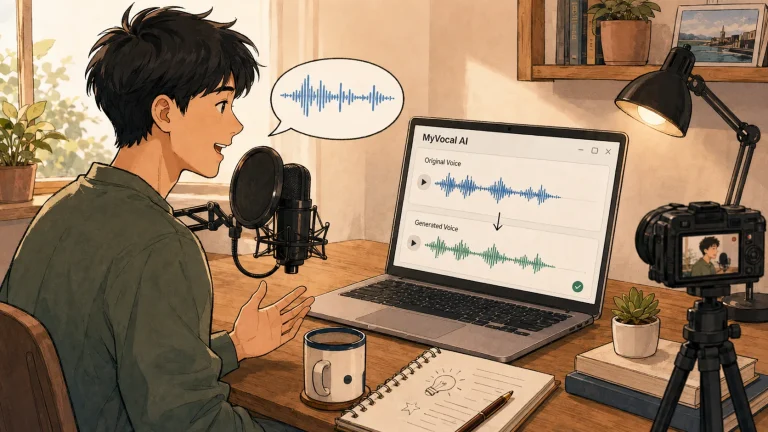
Beyond real-time voice changing, it also offers voice cloning and text-to-speech (TTS). Voice cloning can generate a similar-sounding voice from a short recording sample, with as little as around 10 seconds of audio required.

The platform also has a community voice library called Voice Universe, which contains a large collection of user-created preset voices that you can browse and use directly.

For most users, the main use cases are gaming, livestreaming, roleplay, and entertainment-focused voice changing.

Voice.ai also offers enterprise services such as APIs and AI voice agents, but those serve quite different use cases from the desktop product.

Voice.ai Pricing

PlanPriceDescription
Free $0 Includes around 5,000 credits per month and access to some basic features. However, availability is limited and the plan is not offered in every country or region.
Premium $12.50 /month Includes core features such as real-time voice changing, voice cloning, and TTS, corresponding to the desktop Pro plan.
Pro $41.67/month Includes higher usage limits and access to more advanced voice features.
Unlimited $83.33/month Designed for high-frequency creators and commercial use.

First, check whether a free plan is still available in your region.

If free access is available, it’s better to test latency, voice quality, and PC performance before subscribing. If you’re asked to pay immediately after signing up, the Creator plan at $12.50/month is the entry-level option for individual users.

Professional and Unlimited are better suited to heavier use cases such as livestreaming and voiceover work.

If you expect significant API usage or commercial volume, it makes more sense to compare the Core and enterprise plans as well.

Voice.ai Key Features

  1. Real-time AI voice changing
    Changes your voice as you speak and routes it through a virtual microphone to apps such as Discord, Zoom, and OBS.
  2. Voice cloning
    Generates a similar voice from a short audio sample, with as little as around 10 seconds of recording required.
  3. Text-to-speech
    Converts text into speech and supports more than 30 languages and accents.
  4. Voice Universe community library
    Offers a large collection of community-made preset voices that you can search and use directly.
  5. Audio processing tools
    Includes supporting features such as vocal separation, echo removal, and AI noise reduction.

Voice.ai Editorial Review

After installing the desktop app, Voice.ai feels more like a gaming lobby than a traditional audio tool.

I first picked a Batman-style voice from the library, then switched Discord’s microphone input to the Voice.ai virtual device. Once everything was configured correctly, the other person heard a deeper, processed version of my voice in real time.

The basic setup isn’t difficult, and if everything works smoothly, you can get it running within a few minutes.

The complications tend to come afterward.

The virtual microphone sometimes needs manual configuration.

Some systems won’t automatically select Voice.ai as the correct input device, so you may need to switch the microphone manually in Windows or inside the app you’re using.

If Voice.ai isn’t receiving audio, the problem often isn’t the AI itself—it’s simply that the audio device configuration is wrong.

That’s also why there are so many setup tutorials online.

Real-time voice changing is fairly demanding on hardware.

The software isn’t playing back a pre-generated recording. It runs the AI model continuously as you speak.

If your CPU or GPU isn’t powerful enough, latency can increase noticeably, and in worse cases you may get stuttering, dropouts, or distortion.

For recorded content, those issues can sometimes be fixed afterward. In live gaming or streaming, however, latency directly affects the experience.

The free version also has some noticeable issues.

Voice.ai still has plenty of “free to use” messaging across its pages, but in some regions, users may be asked to subscribe immediately after signing up.

That gap between the expectation of free access and the actual paywall can be frustrating.

The voice library is large, but quality is inconsistent.

Community models are created by users, so the results vary significantly.

Some voices are highly recognizable and sound fairly natural after processing, while others have obvious digital artifacts and sound synthetic immediately.

The better models may also consume more credits or require payment.

There are also some user reports online about subscription cancellation and billing disputes. If you’re considering a long-term plan, it’s worth checking renewal and cancellation terms carefully before paying.

Pros

  • Strong entertainment value: Good models can be a lot of fun for gaming, streaming, and roleplay
  • Large voice library: Plenty of community-made models, so you don’t always need to train one yourself
  • Good compatibility: The virtual microphone works with most apps that support audio input
  • Broad feature set: Includes real-time voice changing, voice cloning, TTS, and basic audio processing

Cons

  • Free access varies by region: Some users may be required to subscribe immediately after registration
  • Hardware-intensive: Lower-end PCs can suffer from latency, audio dropouts, and distortion
  • Community model quality is inconsistent: You may need to spend time finding good voices
  • Pricing is complicated: Desktop, mobile, and regional plans can differ significantly
  • Subscription experience has drawn complaints: Some users report issues with cancellations and billing

Best for / Not ideal for

Best for

  • Gamers and livestreamers
    Useful for adding character voices and more interactive effects during gaming or streaming.
  • Content creators
    Suitable for voice changing, character dubbing, and simple AI voice content.
  • People who don’t want to reveal their real voice
    Helpful for using an alternative voice in online chats or games.

Not ideal for

  • Anyone who needs low latency and high reliability
    Real-time AI processing can be too unpredictable for important meetings or calls.
  • People who don’t want to troubleshoot settings
    Virtual microphones, input devices, and latency sometimes need manual adjustment.
  • Users with low-spec computers
    Limited hardware performance can directly reduce real-time voice quality.
  • Teams with strict data privacy requirements
    Before using voice uploads or cloning features, it’s important to review the relevant privacy terms carefully.


Summary

Voice.ai’s biggest appeal is simply that it’s fun to experiment with.

Real-time voice changing, a community voice library, and voice cloning are all available in one place, giving you plenty of options for gaming, livestreaming, and character-based content.

That said, installing it doesn’t guarantee a smooth experience. PC performance, virtual microphone configuration, and the quality of individual voice models can all affect latency and audio quality.

Before paying, check whether free usage is available in your region. If it is, test Voice.ai inside the apps or games you actually use, paying particular attention to latency and voice quality.

If you’re satisfied with the results, then the $12.50/month Creator plan may be worth considering. If you only use voice changing occasionally for entertainment, there’s little reason to start with a higher-tier plan.

Comments (0)

Leave a comment

Advertisement 728 × 90

Similar Tools

ElevenLabs
90
Top-tier AI voice generation that sounds so natural, it’s hard to tell whether it’s AI or a real person.
AI Voice
DittoDub
88
A video localization platform built for YouTube creators. It can translate, dub, and publish videos in multiple languages while preserving the creator’s original tone and delivery as much as possible.
AI Voice
Adobe Speech Enhancer
57
An online AI voice enhancement tool. Upload a recording, and it automatically reduces background noise and echo to make speech sound clearer.
AI Voice
UniScribe
43
an AI-powered audio and video transcription tool that converts recordings, videos, and YouTube content into editable text automatically.
AI VideoAI Voice
Wispr Flow
40
A system-wide AI voice input tool that turns spoken language into polished, usable text. It supports global input across different apps and text fields.
AI Voice
Easy-Peasy.AI
40
A multimodal content platform that combines AI writing, image generation, voice, digital-avatar video, transcription, and automated workflows.
AI WorkflowAI VideoAI OfficeAI DesignAI VoiceAI ChatAI art
Verbatik
30
An AI content platform that combines TTS, voice cloning, Voice Design, digital-avatar video, music, and image generation, with API and MCP integration also available.
AI Voice
Revocalize AI
24
An AI voice-conversion tool designed for music production. It can change a vocal recording’s tone and includes features such as pitch correction, harmony generation, and custom voice training.
AI VoiceAI Music

Related News