MyVocal AI

1.15
An AI voice-cloning tool that replicates a user’s vocal characteristics from a short recording for text-to-speech and AI singing.
Advertisement 728 × 90
CompanyMyVocal AI
Released2023
Updated2026-09-02

MyVocal AI Overview

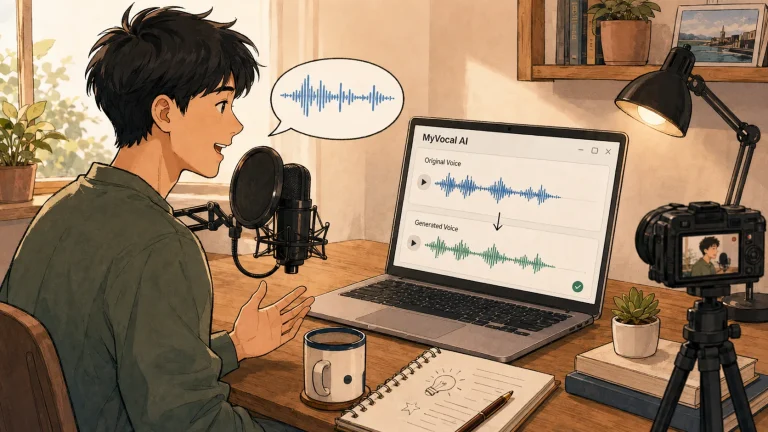
MyVocal’s workflow is divided into two main stages: first cloning a voice, then using the cloned voice to generate content.

For the initial training, users need to read 25 predefined phrases by following the on-screen instructions.

These recordings are used to analyze vocal tone, intonation, and pronunciation characteristics. Once training is complete, the system creates a personal voice model.

Users can then enter text and have the AI generate narration or presenter-style speech with that voice. They can also use AI Singer to make the cloned voice sing songs.

The main difference between MyVocal and ordinary text-to-speech is therefore not simply that it reads text aloud. It can first create a voice model that approximates the user’s vocal characteristics.

MyVocal also provides a REST API, allowing developers to integrate speech synthesis and voice cloning into their own applications.

During the product’s early period, questions were raised about its operating entity, registration status, and data security. Its operator later became clearer, and the company introduced developer documentation and an API.

However, a person’s voice is relatively sensitive data. It is still worth reviewing the privacy policy before using the service.

MyVocal AI Pricing

PlanPriceDescription
Free Plan $0 Includes approximately 2,000 characters per month, with a limit of around 500 characters per generation, for testing basic voice cloning and speech generation.
Pro Plan Custom pricing Includes approximately 120,000 characters per month, with a limit of around 1,500 characters per generation. Prices reported in public sources vary considerably.
Business Plan Custom pricing Designed for API access, commercial licensing, and larger-scale usage, with pricing available upon request.

MyVocal uses a free-plan-plus-subscription model, with TTS plans primarily differentiated by the number of characters that can be generated each month.

Historical prices found in public sources vary considerably. They are better treated as references rather than current official pricing.

Some older sources mention plans priced at $9.99 per month or $99.99 per year, while Chinese-language sources have listed options at approximately RMB 10 or RMB 30 per month.

When preparing to pay, it is therefore best to check the current official website directly rather than budgeting based on prices from older articles.

Language support has also changed over time.

The early web version primarily supported English, while selected paid plans added languages such as German, Spanish, and Portuguese. More recent V3 API documentation lists support for 98 languages, including Chinese. However, whether all API capabilities are also available through the web product needs to be verified in practice.

MyVocal AI Key Features

  1. AI voice cloning: Read 25 predefined phrases as instructed to train a voice model that approximates your vocal characteristics.
  2. AI Singer: Uses the cloned voice to sing songs, making it one of MyVocal’s more distinctive features compared with ordinary text-to-speech tools.
  3. Text-to-speech: Enter text and use the trained voice to generate narration, presenter-style speech, or other audio content.
  4. Emotion and delivery tags: Some voice models support tags such as [happy], [sad], and [laughter] to adjust the delivery style.
  5. Developer API: Provides a REST API for integrating voice cloning and speech synthesis into websites, applications, or automated workflows.

MyVocal AI Editorial Review

After registering and opening Voice Clone, the page asks you to record 25 phrases in sequence.

The collection process does not take long.

After I finished recording and submitted the samples, the voice model completed training in approximately 30 minutes.

When I began generating speech, the most obvious issue was language support.

I initially wanted to test Chinese directly, but the web version displayed a message saying it was unsupported. After looking into it, I found that MyVocal originally focused primarily on English, with additional languages gradually introduced through paid versions and later models.

The current V3 API lists 98 supported languages, including Chinese. However, whether the web product provides access to the same model cannot be determined from the API documentation alone.

The English test went more smoothly.

I entered an ordinary piece of text. The generated voice had a tone that was recognizably similar to the original, and the overall delivery was relatively smooth.

However, as the sentences became longer, the AI quality became more obvious.

Pauses, emphasis, and emotional changes were less natural than a real human recording. This was particularly noticeable in sentences requiring significant emotional variation. The voice sounded more like it was reading the text fluently than having a normal conversation.

This means that “does the voice sound like you?” and “does it sound natural?” are actually separate questions.

MyVocal can achieve the former to some extent, but the latter still reveals many signs of synthesis.

Privacy deserves more attention than generation speed.

MyVocal previously faced media questions about the transparency of its operations. Its operating entity can now be identified, but voice cloning still requires users to provide a set of recordings containing personally identifiable vocal characteristics.

For casual entertainment testing, evaluating the risk may be relatively straightforward.

For work recordings, customer information, or long-term commercial use, you should first confirm how recordings are stored, how deletion works, and what rights the service receives before uploading anything.

Pros

  • A short cloning process: Training can begin after recording only 25 phrases, without requiring a large audio dataset.
  • AI Singer is distinctive: In addition to ordinary text-to-speech, the cloned voice can be used for singing.
  • The free plan lets you test the complete workflow: Useful for evaluating voice similarity before paying.
  • Provides an API: Developers can integrate voice-generation capabilities into their own products.
  • Low barrier to entry: No professional recording skills or knowledge of voice models is required.

Cons

  • Chinese support on the web version is unclear: The API has expanded its language coverage, but web-product functionality needs to be verified separately.
  • Limited naturalness: Long sentences, pauses, and emotional delivery can still sound synthetic.
  • Historical pricing is confusing: Prices vary considerably between different periods and sources.
  • Voice data raises privacy concerns: Users should carefully review data handling and licensing terms before using cloning features.
  • Limited professional controls: Control over speed, pauses, and detailed delivery is less advanced than on specialist voice platforms.

Best for / Not ideal for

Best for

  • People who want to try voice cloning: Useful for seeing how closely AI can imitate their voice.
  • People interested in AI singing: AI Singer provides a straightforward entertainment feature.
  • Creators who need a quick voice demo: A cloned voice can be used to test narration and content pacing.
  • Developers who need a voice API: Suitable for quickly adding voice cloning or text-to-speech to a product.

Not ideal for

  • People primarily producing professional Chinese voiceovers: Chinese support and practical output quality need to be tested separately.
  • People with strict voice-data security requirements: The platform’s data-processing practices should be confirmed before uploading a personal voice.
  • People who need broadcast-quality output: Naturalness and emotional control still cannot fully replace a human voice actor.
  • Teams requiring fine-grained voice control: MyVocal may not offer enough control when every sentence needs adjustments to pauses, speed, and intonation.

Summary

The two most memorable things about MyVocal are still its ability to clone your voice from 25 phrases and make that voice sing.

The overall workflow is straightforward, and the free plan is sufficient for evaluating the cloning quality.

However, “sounding like you” does not mean it can already replace a real recording. Long sentences, emotional delivery, and natural pauses may still reveal signs of synthesis. Chinese-language support on the web version also needs to be tested in practice.

Voice cloning is also somewhat different from ordinary AI image generation.

You are uploading personal voice data. Before deciding to use the service long term, you should compare more than its quality and price. Check its privacy policy, the scope of its licensing terms, and whether your recordings can be deleted.

If you simply want to experience having an AI version of your voice, the free allowance is enough to record the 25 required phrases. If the result is acceptable, you can then decide whether a paid plan is worthwhile.

Comments (0)

Leave a comment

Advertisement 728 × 90

Similar Tools

ElevenLabs
92
Top-tier AI voice generation that sounds so natural, it’s hard to tell whether it’s AI or a real person.
AI Voice
DittoDub
90
A video localization platform built for YouTube creators. It can translate, dub, and publish videos in multiple languages while preserving the creator’s original tone and delivery as much as possible.
AI Voice
Suno v5.5
81
Suno v5.5 puts a stronger focus on personalization. Beyond generating complete songs, it adds features like voice cloning, custom models, and personalization based on your own musical preferences.
AI Music
Adobe Speech Enhancer
61
An online AI voice enhancement tool. Upload a recording, and it automatically reduces background noise and echo to make speech sound clearer.
AI Voice
MusicLM
54
An AI music creation platform powered by Lyria that generates songs from text, audio, or images and supports further editing, extension, and Stem export.
AI Music
Voice.ai
49
Voice.ai is a real-time AI voice changer and voice cloning tool. It can transform your voice into different tones for gaming, livestreaming, voice chat, and similar use cases.
AI Voice
Vocal Remover
46
An online AI vocal separation tool that automatically splits an uploaded song into vocal and instrumental tracks, suitable for quickly creating karaoke backing tracks or extracting acapella vocals.
AI Music
UniScribe
43
An AI audio and video transcription tool that quickly converts recordings, videos, and YouTube content into text, then generates summaries, mind maps, and subtitle files.
AI VideoAI Voice

Related News