ZOO

1.60
A CAD tool with a built-in AI design assistant called Zookeeper. You can generate editable 3D models using natural language while still keeping access to traditional CAD workflows and code-based modeling.
Advertisement 728 × 90
CompanyReplicate
CategoryAI Design
Released2026-08
Updated2026-08-21

ZOO One picture says it all.

ZOO

ZOO Overview

Zoo Design Studio is a CAD platform built for hardware design, with one standout feature: a conversational agent called Zookeeper.

Instead of manually clicking through every modeling step, you can simply describe what you want to build.

For example, you could say, “Design a drone landing gear that can support 20 kilograms.” Zookeeper can interpret the requirement, plan the structure, suggest constraints, and generate an editable CAD model that you can keep refining.

That makes it especially useful during early-stage concept development.

You don’t need to define every dimension and constraint upfront. You can first generate a rough direction, then gradually refine the design as requirements become clearer.

And if you prefer traditional CAD workflows, you don’t have to give them up.

Zoo also supports conventional click-based modeling as well as code-based modeling with KCL, so you can switch to more precise, explicit control whenever needed.

ZOO Pricing

PlanPriceDescription
Free $0 Includes the core design workspace, browser-based CAD tools, and around 20 minutes of free API usage per month.
Pay-as-you-go $0.0083/sec ($0.50/min) Billed based on actual API usage time. Supports both the Engine API and Agent API, and failed requests are not charged.
Enterprise Custom Includes enterprise services such as AI model customization, dedicated support, advanced security and compliance, and private deployment options.

Zoo’s current pricing is focused mainly on API usage.

If you only want to try Design Studio, the free plan is usually enough.

For frequent API use, you pay based on actual usage.

Enterprise customers with requirements around private deployment, security, or compliance need to contact Zoo directly.

ZOO Key Features

  1. Zookeeper AI agent
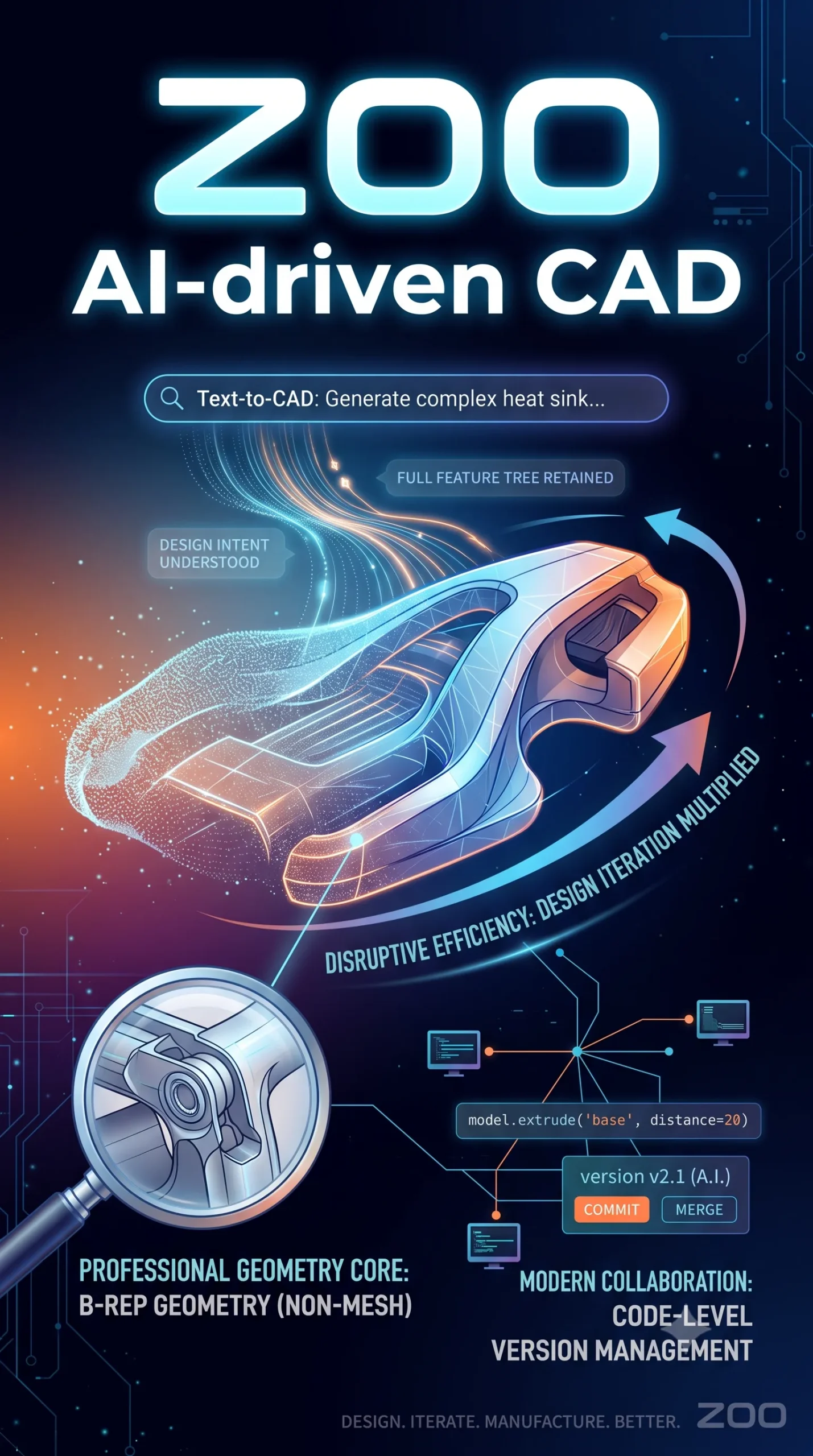
    Describe what you want to design in natural language. Zookeeper interprets the intent, plans the structure, suggests constraints, and generates an editable CAD model you can continue refining.
  2. Hybrid CAD workflow
    Switch between Zookeeper, a traditional graphical interface, and KCL-based code modeling. You can use AI for rapid exploration early on, then move to manual or code-based refinement when you need more precision.
  3. B-rep geometry modeling
    Uses boundary representation geometry, with an emphasis on the precise geometry required for CAD rather than simply generating a mesh that looks like a 3D model.
  4. Manufacturing-aware feedback
    Zookeeper considers manufacturability while generating designs and can provide feedback on structural choices and constraints.

ZOO Editorial Review

The first thing I noticed when opening Zoo Design Studio was that it doesn’t feel quite as much like traditional CAD.

The interface is fairly clean, and Zookeeper is still the part that draws most of your attention. I started by typing: “Create a simple phone mount that can be attached to a wall.”

It first summarized a few structural considerations, then generated a model within seconds.

Of course, it wasn’t something I could send straight to manufacturing. But as a proof of concept, it was very fast, especially because it removed the need to start building the structure from a blank canvas.

More complicated models were less smooth.

I asked it to create a bicycle handlebar with curved transitions, and the first result came out somewhat distorted.

Then I added, “make the transitions smoother,” and the second version looked noticeably more reasonable.

The clearest takeaway from using it was this: the more specific the requirements, the more stable the result.

If you simply say “make it look better,” the system has a lot of room to interpret what that means.

But once you add dimensions, load requirements, connection methods, or manufacturing constraints, the output usually gets much closer to a real engineering brief.

Zoo feels most useful during the concept design stage.

Use AI to generate a few directions quickly, then move into traditional parameter editing to tighten dimensions, constraints, and details.

That feels like the most natural workflow.

Pros and cons

Pros

  • Low barrier to entry. Even people who aren’t comfortable with CAD can turn an idea into a model using natural language.
  • Saves a lot of time during concept development. The path from idea to first editable model is noticeably faster.
  • Flexible modeling workflow. AI, graphical tools, and code can all be mixed together.
  • Supports enterprise requirements. There are options for teams with stronger security and compliance needs.

Cons

  • Complex designs still need manual work. Precise dimensions, advanced constraints, and engineering details are often easier to refine manually.
  • Generation isn’t completely deterministic. Regenerating the same request can produce different details.
  • Natural language still needs engineering precision. To get reliable results, you still need to describe dimensions, structure, and constraints clearly.

Best for / Not ideal for

Best for:

  • Product designers, makers, and hardware founders. Well suited to rapid concept modeling and early validation.
  • Engineers who frequently explore structural alternatives. AI can generate several directions before you move into detailed modeling.
  • CAD beginners and education. Natural language lowers the barrier to getting started with 3D design.

Not ideal for:

  • Workflows that depend heavily on precise parameters. Mold design, aerospace, and similar fields still require rigorous manual control.
  • Traditional workflows driven almost entirely by 2D sketches. Zoo is more focused on creating a rough 3D direction first, then refining it.
  • Anyone expecting a production-ready model from a single sentence. Zookeeper is best used as a design assistant, not as a replacement for full engineering validation.


Summary

The most interesting thing about Zoo Design Studio isn’t that AI can build the entire model for you. It’s that it changes where the CAD process starts.

Traditionally, CAD often begins with a sketch, dimensions, and constraints, gradually building toward a finished model.

With Zoo, you can start by describing the design intent, let Zookeeper create a first version, then move back into a traditional CAD workflow to refine it.

That approach is especially valuable during concept design.

It still doesn’t replace precise modeling or engineering judgment, but it can significantly reduce the time spent repeatedly building early-stage models from scratch.

For people who need to explore ideas quickly, Zoo Design Studio feels less like a “design everything from one sentence” button and more like a design assistant that actually understands CAD.

Comments (0)

Leave a comment

Advertisement 728 × 90

Similar Tools

Related News