Pros
Easy to start, with almost no setup
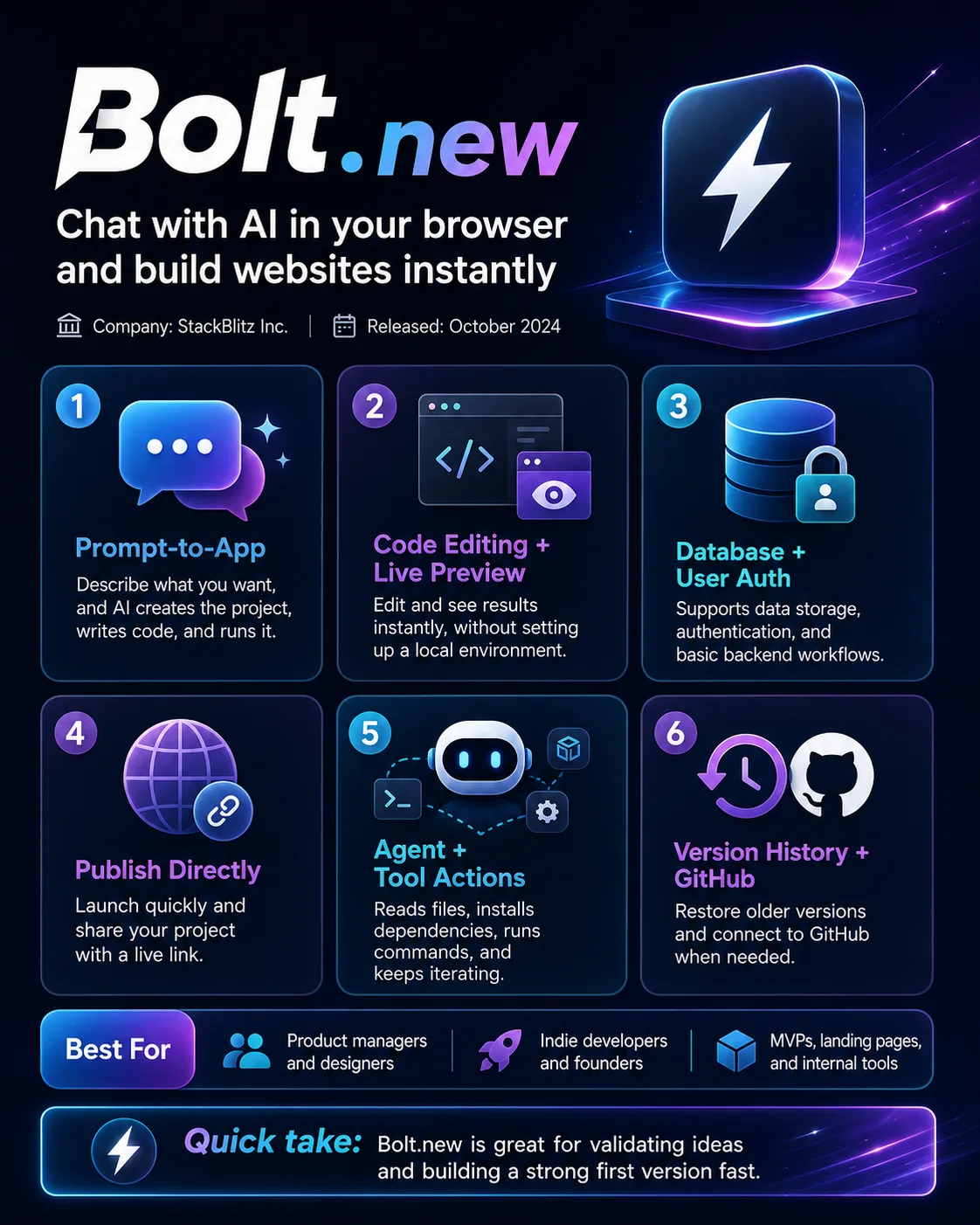
One of Bolt.new’s biggest advantages is convenience. You can open your browser and start building without installing a bunch of development tools first. That makes it especially friendly for beginners or anyone who just wants to get a prototype up quickly.
Very fast from idea to working product
You can describe what you want in a sentence, let the AI build the page and basic features, then keep refining it while seeing the result live. It is particularly efficient for landing pages, blogs, internal tools, and simple MVPs.
A fairly complete development workflow
Bolt does more than generate code. You can edit code, preview changes live, add databases and authentication, and publish the site without leaving the platform. For small projects, this cuts down a lot of tool switching.
You can get started without knowing much code
This is one of Bolt.new’s biggest appeals. Even if you cannot build a React app from scratch or configure a development environment yourself, clear requirements can still get you to a working first version.
You can roll back when something breaks
Bolt now has Version History and GitHub integration. If an AI edit messes up the page, you can go back to an earlier version instead of being stuck with the broken result.
Good for repeatedly building similar projects
Skills can save your usual development rules, design requirements, and project preferences. If you often build similar sites, you do not have to explain the same setup every time.
Cons
Small edits can sometimes turn into bigger changes
This is one of the more common frustrations in actual use.
You may only want to change a button or a piece of text, but the AI can sometimes modify related code as well. It is manageable early on, but becomes more annoying as the project grows.
The more complex the project, the less you can fully hand it off
Simple prototypes are easy. Once you add login, databases, payments, permissions, and third-party services, problems become more frequent.
It helps a lot to have someone who can read basic code. Otherwise, you can easily get stuck in a loop where the AI fixes one issue and creates another.
Token usage grows with the project
Simple pages usually do not consume much, but as the number of files increases, the AI has more context to read each time.
If you regularly ask it to make broad changes across the project, Token usage and cost can rise noticeably.
Fine-grained control is still better with manual coding
Bolt.new is very good for quickly setting up the structure and making broad changes.
But if every detail needs to match your exact intent, editing the code yourself is usually more reliable.
Large projects are not its strongest use case
For complex enterprise systems, large backends, or projects involving many interconnected services, Bolt.new is much less effortless than it is for small apps.
Those projects still usually need an experienced development team and a mature engineering workflow.
The free plan is better for trying it out
The free allowance is enough to experiment and build a few small projects, but if you use it every day or work on larger projects, you can hit the limits fairly quickly.
For long-term heavy use, a paid plan is usually more realistic.
Who It’s For
Product managers / designers
Great for quickly turning a product idea into something people can actually click through and demo.
Indie developers / founders
Especially useful for MVPs. You can validate whether people actually want the product before investing more time and money.
People who can’t code but know what they want
If your requirements are clear, Bolt can help you build a first version of something you might not have been able to make before.
Programming beginners
You can watch the AI write code while seeing how the app works in real time.
It is still worth learning some basics, though, or larger projects can become hard to take over later.
Marketing / operations teams
Campaign pages, signup pages, internal tools, and small dashboards are all good fits.
Who It’s Not For
Developers who want tight control over the code
If you want to control every change and every part of the file structure yourself, Bolt’s agent-style workflow may feel less comfortable.
Teams building large, complex backends
Microservices, complicated database migrations, and internal infrastructure are still better suited to traditional engineering environments.
People who never want to look at code
You can avoid it at the beginning.
But if the project is meant to run long term, having no understanding of the codebase at all can become risky.
Organizations with strict data and compliance requirements
These teams should first evaluate the Enterprise offering around security, permissions, and data governance before putting internal projects into Bolt.
Editor’s Take
What Bolt.new solves best is really this:
“I have an idea, but I don’t want to deal with a bunch of setup before I can start building.”
For that, it works very well.
First versions, internal tools, campaign pages, and small SaaS products can all come together quickly.
But once the project gets bigger, the usual software engineering problems come back.
Code quality, testing, database design, permissions, security, and maintenance do not magically disappear.
So I would not think of Bolt.new as a “replacement for programmers.”
It is more like a tool that makes building the first version of a product much cheaper and faster.
For a lot of people, that alone is already very useful.











Comments (0)