I used Devin Desktop for a week on a small React project.
I didn’t start by launching a bunch of agents at once.
At first, I only ran one and asked it to fix a component state synchronization issue.
That part didn’t feel dramatically different from other mainstream AI coding tools.
It read the code, changed the files, and ran a check.
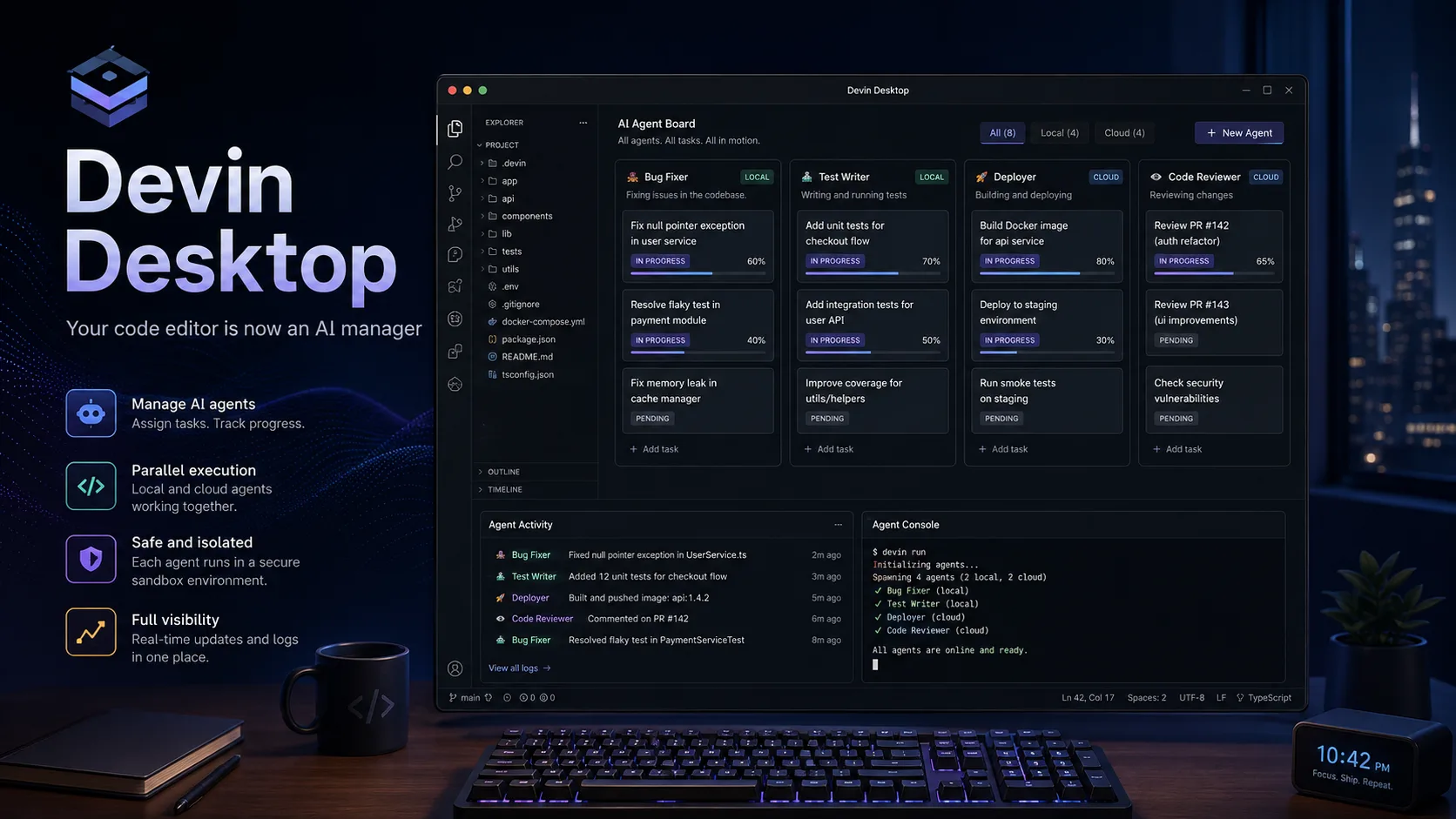
The point where the product really started to feel different was when I ran three tasks at the same time.
One was fixing a bug, another was adding tests, and the third was working on a deployment script.
That’s when the Agent Command Center started to make sense.
When I used to have several Cursor sessions open at once, I’d quickly forget which window was doing what.
In Devin Desktop, every task is on one board, and the status of each one is much clearer.
I liked that a lot.
Not because it’s some incredibly advanced idea, but because it solves a very practical problem:
once you have enough agents running, the human gets confused first.
The local agent feels fast
Devin Local feels more responsive to me than Cascade did.
It’s especially noticeable when it’s inspecting the project structure, doing global searches, or making small changes across several files.
There’s less of that feeling that you’re waiting around for the AI to think forever.
I wouldn’t exaggerate the difference, though.
For genuinely complex tasks, you still have to wait.
Rewriting the tooling in Rust can improve the performance of the product itself, but it doesn’t suddenly make the model a whole tier smarter.
Don’t get too optimistic about UI generation
I also asked it to build a simple merchant admin dashboard.
The result was usable and functional, but I wouldn’t ship it as-is.
The overall structure was fine.
It had the basics: tables, filters, navigation.
But the details were pretty average.
The spacing felt mechanical, the visual hierarchy was flat, and the handling of images and empty states was fairly casual.
This result felt very familiar.
A lot of agents can now get you to an “80% framework” for admin interfaces.
The last 20% is still where the work is.
If it’s an internal tool, that may already be good enough.
If it’s a user-facing product page, I’d still take over and refine it myself.
The biggest adjustment isn’t the features — it’s the workflow
What you really have to get used to with Devin Desktop isn’t where the buttons are.
It’s learning how to delegate work.
When I used to open an IDE, my first thought was: what do I need to write?
After using Devin Desktop for a while, I started thinking:
Is this task worth doing myself?
Can I hand it to a local agent?
Should I send it to the cloud?
Can I split it into two parallel tasks?
That already feels a bit different from traditional programming.
Sometimes it feels great.
Sometimes it feels like extra overhead.
If I just want to change two lines of CSS, having to think about whether I should “create a task” is obviously overkill.
So I use it fairly selectively now.
Small changes, I do myself.
Repetitive, independent, easy-to-verify tasks go to agents.
That balance feels much better.
Pros
Multi-agent management is intuitive
Once you’re actually running several tasks at the same time, a board is much easier to manage than multiple chat windows.
Local and cloud tasks live in one place
You don’t have to remember which machine or browser tab a particular task is running in.
It supports third-party agents
ACP means you’re not completely locked into the Devin ecosystem.
Spaces reduce repeated explanations
Project context can persist, which becomes especially useful when multiple agents are working on the same codebase.
The workflow is fairly complete
Task assignment, execution, review, and merging can all happen in roughly the same environment.
Cons
There’s more of a learning curve than with a normal IDE
If you’re used to code completion and chat, it takes some time to adjust to task orchestration.
The default model isn’t always satisfying
It’s fine for ordinary work, but complex logic and UI details can still expose its weaknesses.
It feels heavy for small tasks
For a two-line change, launching an agent can actually be slower than just writing it yourself.
More agents can mean more review pressure
If three agents finish at the same time, you still have three results to review.
Cloud tasks still need oversight
They’re useful for independent work, but I still wouldn’t fully hand over critical business logic.
Who it’s good for
People who regularly handle several development tasks in parallel
If you’re already juggling bug fixes, tests, and deployment work at the same time, the value of the task board becomes obvious quickly.
Team leads and tech leads
If your job is less about writing every line yourself and more about assigning work, tracking progress, and reviewing results, this workflow fits well.
People already using a lot of AI coding tools
If you’re already switching between Claude, Codex, Cursor, and similar tools, the idea of managing them in one place is quite appealing.
People willing to adapt their workflow
This isn’t just another editor.
You have to be comfortable with development starting to feel more like task orchestration.
Who it’s not ideal for
Programming beginners
Learning the code itself matters more.
Multi-agent management mostly adds unnecessary overhead at that stage.
People who only want code completion
If all you want is help filling in a few lines of code, Cursor or a VS Code extension is much simpler.
People working mostly on very small projects
If there aren’t enough tasks to run in parallel, the Agent Command Center doesn’t have much room to show its value.
People who don’t want to review AI output at all
Right now, there still isn’t an agent I’d trust enough for that.











Comments (0)