Perplexity

4.60
An “answer engine” that combines AI conversation with real-time search. Instead of just giving you a page of links, it pulls together information from the web and gives you a sourced answer.
Advertisement 728 × 90
CompanyPerplexity
CategoryAI Search
Released2022-12
Updated2026-08-19

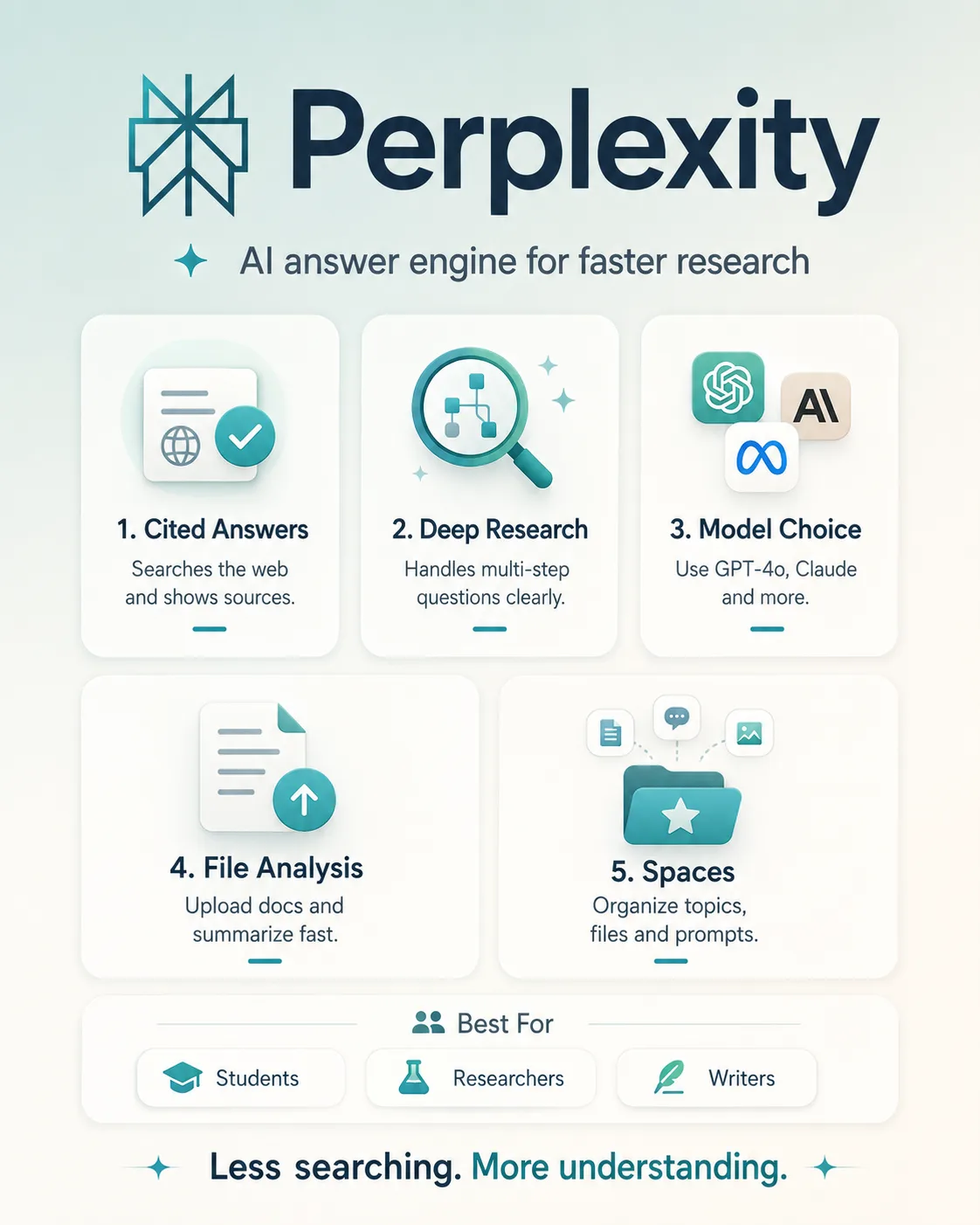
Perplexity One picture says it all.

Perplexity

Perplexity Overview

If you’re tired of ads, SEO-heavy articles, and repetitive results in Google Search, Perplexity feels noticeably different.

It’s more like a research assistant that looks things up before answering you.

Ask a full question and it searches the web in real time, with the option to focus on sources such as academic material. It then pulls information from multiple pages into a single answer and shows citations alongside it.

That’s one of the biggest differences between Perplexity and a typical AI chatbot:

the answer isn’t the end of the process — the sources behind it matter too.

If you want to check whether a claim is reliable, you can jump straight back to the original source.

For more complicated questions, this can save a lot of the time you’d normally spend searching, opening tabs, filtering results, and pulling everything together yourself.

Perplexity Pricing

PlanPriceDescription
Free $0/mo Around 3–5 Pro Searches and 3 Deep Research runs per day. A good fit for light use and people who just want to try it out.
Pro $20/mo Designed for individual power users. Includes more Pro Searches, access to models such as GPT-4o and Claude 3, plus file upload, analysis, and image generation.
Max $200/mo Built for heavy AI users. The main differences are higher usage limits and access to advanced features such as Perplexity Computer.
Education Pro $10/mo Designed for students and educators. It costs roughly half the price of Pro and requires verification of academic status.
Enterprise Pro $40/mo Builds on Pro with team management and more advanced security features. A better fit for organizations that need collaborative controls and stronger administrative tools.
Enterprise Max $325/mo Built for high-usage enterprise teams. Includes expanded access and higher processing limits for more demanding workloads.

Perplexity’s plans range from a free individual tier to options for education and enterprise users.

If you just want to try it, Free is enough.
Students and educators should look at Education Pro first.
For individuals who do research regularly, Pro is the more practical option.

Max is significantly more expensive, with most of the value coming from higher usage limits and advanced features such as Perplexity Computer.

For businesses, the choice between Enterprise Pro and Enterprise Max mainly comes down to team management, security requirements, and how heavily the platform will be used.

Perplexity Key Features

  1. Pro Search and Deep Research
    For more complex questions, Perplexity can run multiple rounds of search, break the problem down, and keep looking for additional sources instead of stopping after a few results. It then pulls everything together into a more complete answer.
  2. Switch between multiple models
    Paid users can choose different models depending on the task, including options such as GPT-4o and Claude 3.
  3. File upload and analysis
    You can upload documents, spreadsheets, and other files, then ask Perplexity to extract key points, summarize the content, and answer follow-up questions based on those files.
  4. App connections and agents
    Perplexity can connect to services such as Gmail, Slack, and Google Drive, allowing it to work with information and tasks across multiple apps.
  5. Perplexity Computer
    This takes the agent idea a step further by letting AI interact with a computer environment — reading what’s on screen, working with files, and completing parts of multi-app workflows.
  6. Spaces
    You can create dedicated research spaces around a topic, add sources and custom instructions, and keep building on the same research over time.
  7. Discover
    Discover organizes information around your interests. It feels more like a personalized news and information feed curated with AI.

Perplexity Editorial Review

I tried using Perplexity as my main search tool for a week, while avoiding Google as much as possible.

Ease of use: basically no learning curve.

The interface is just a chat box. Sign up, ask a question, and you’re good to go.

What really needs to change is your search habit.

Instead of typing something like:

“microrobot latest applications”

it works better to ask:

“What real-world applications have microrobots had in the past two years? Prioritize papers and research institutions.”

It’s excellent for research-heavy search. Everyday search depends on the situation.

When I tested a query about the latest applications of microrobots and switched to academic sources, Perplexity quickly pulled together several papers, summarized the main research directions in Chinese, and placed citations next to the relevant claims.

This is exactly the kind of query Perplexity is good at.

Normally, I would have to open a bunch of tabs and figure out which pages were actually worth reading. With Perplexity, I can scan the landscape first, then open only the papers that really matter.

But for things like restaurants, movie reviews, or product experiences, the advantage is much less obvious.

Perplexity tends to combine different opinions into one answer. Sometimes, though, what I actually want is one very personal review from a specific blogger.

In those cases, going straight to Google, YouTube, or the relevant platform is often faster.

What works well

  • Sources are clear. You can follow citations directly back to the original material.
  • It saves time on complex research. The advantage is especially noticeable when you need to compare multiple sources.
  • The interface is clean. There’s much less of the advertising and SEO clutter you get on traditional search pages.
  • It’s already more than a search tool. File analysis, app connections, and computer agents are pushing Perplexity into a broader role.

What doesn’t work as well

  • It’s not great for casual browsing. When you know very little about a topic, traditional search can still be better for stumbling across unexpected things.
  • Subjective opinions can get flattened. Reviews, criticism, and personal experiences can lose the original author’s voice and detail once AI summarizes them.
  • Citations don’t guarantee correctness. The AI can still misread a page, misunderstand context, or cite a source that doesn’t fully support the claim.
  • Important information still needs verification. This matters especially for high-stakes topics such as medical, legal, and financial information. A citation doesn’t make an answer automatically trustworthy.

Best for

Students, researchers, and analysts

Very useful for literature searches, background research, and quickly getting up to speed on unfamiliar topics.

Journalists and writers

Good for finding sources, checking facts, and organizing information across multiple references.

People who do complicated searches regularly

If one question normally means opening a dozen tabs before you understand what’s going on, Perplexity can save a lot of filtering time.

Not ideal for

People who like to browse and explore

Perplexity tends to give you the answer directly, so there’s less of the open-ended discovery you get with traditional search.

People mainly looking for a specific author’s point of view

If you want the original take from a particular creator, blogger, or publication, searching for that person or source directly is often faster.

People who assume citations mean the answer must be correct

Perplexity makes verification easier, but it doesn’t remove the need to verify.

Summary

Perplexity doesn’t really feel like it’s trying to replace Google completely. The two are better at different kinds of search.

When your question is clear and you want to get to an answer quickly, Perplexity works very well. It filters and organizes the information first, then gives you an answer you can continue verifying through the sources.

But if you don’t yet know exactly what you’re looking for and just want to explore the web, traditional search engines like Google still feel more natural.

So at this point, I prefer using Perplexity for research, information synthesis, and fact-checking, while going back to traditional search for local results, subjective experiences, and open-ended browsing.

For now, that division of labor feels more realistic than asking which one will replace the other.

Comments (0)

Leave a comment

Advertisement 728 × 90

Similar Tools